
Available Print Stations:
Carey - Harbor East: 2nd Floor Student Lounge East and Student Lounge West
Note: Before printing, a one-time e-mail address registration must be performed. Please see the following instructions.
One-Time E-Mail Registration Process:
- Prepare an e-mail to [email protected]. Attach the document you wish to print.
- You will receive an e-mail response - click on the link to register your email address.
- You will be directed to your internet browser and may receive a message indicating that there is an untrusted connection/certificate. You may proceed – this is a trusted JHU website.
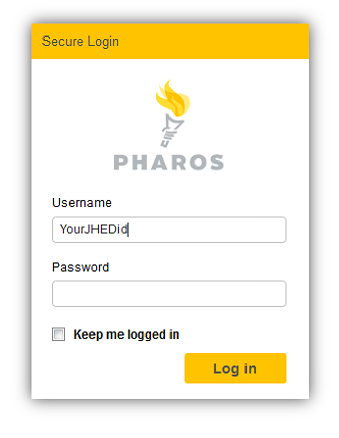
- The next screen will ask you to log in to release your print job. The first field asks for User ID. You must use your JHED ID and password. Your JHED ID is what you use to log into the portal to get to blackboard, ISIS and email. It is usually your first initial, some or all of your last name and a number. Then, select Log in.
- Your email activates automatically, and you will see the message below:
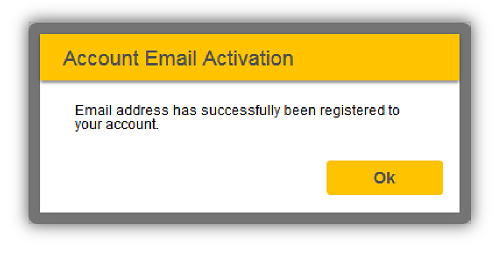
- Once you have clicked OK, you will be redirected back to the Web Release page. Please exit and go back to your email and wait for a confirmation email. Please do not pick a job or a printer to print at the registration link.
- You have completed the first-time user set up, and registered your email account.
Please do not use the print center web site to print a job.
Notes:
- If you want to print from a different email account, you will have to repeat these registration steps.
- Once you have registered your email account(s), you will never need to access the Pharos web release link. Print jobs will not be processed there.
To print using mobile printing:
- Prepare an email to one of the email addresses listed in the chart below.
- Attach the document that you wish to print in the email - send the email
- Check your email inbox for the confirmation email.
- Go to the printer and swipe your J-Card to release the document.
| Print Style | E-Mail Address | Cost Per Page |
|---|---|---|
| Black and White, Single Sided | [email protected] | 0.7 cents |
| Black and White, Double Sided | [email protected] | 0.7 cents |
| Color, Single Sided | [email protected] | 0.20 cents |
| Color, Double Sided | [email protected] | 0.40 cents |
Pricing is subject to change at the end each academic year.
Every time you print, you will receive an email confirmation: 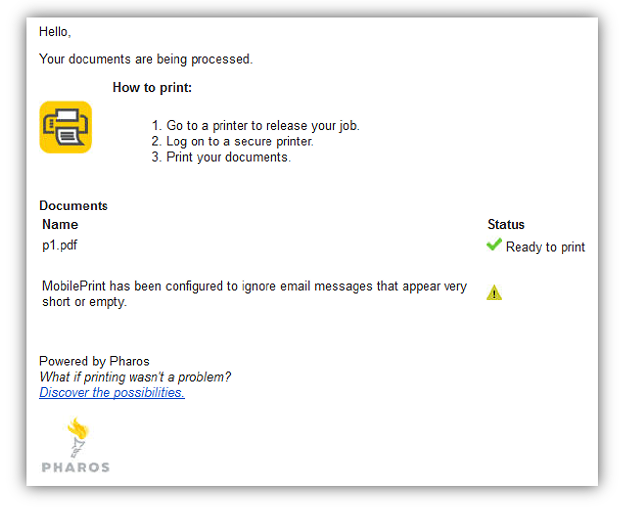
For assistance with mobile printing:
Please contact the Carey HE IT Department by calling 410-234-9380 or emailing [email protected].